
Your screen for every market.
Kalks Trader in your browser and on Android, with the Client Area around it for accounts, money, copy trading, prop and learning.
Kalks Trader and the Client Area run in any modern browser, on desktop and phone.
- 35 indicators
- 9 timeframes
- 22 languages
- Android 1.0.0
Kalks Trader is where you trade. The Client Area runs everything around it: accounts, the USDT wallet, copy trading, prop, partners and the Academy, behind one login.
One login, every screen.
Sign in once with your Kalks account. The same accounts and the same USDT wallet sit behind every one of them.
Built like the terminals pros use.
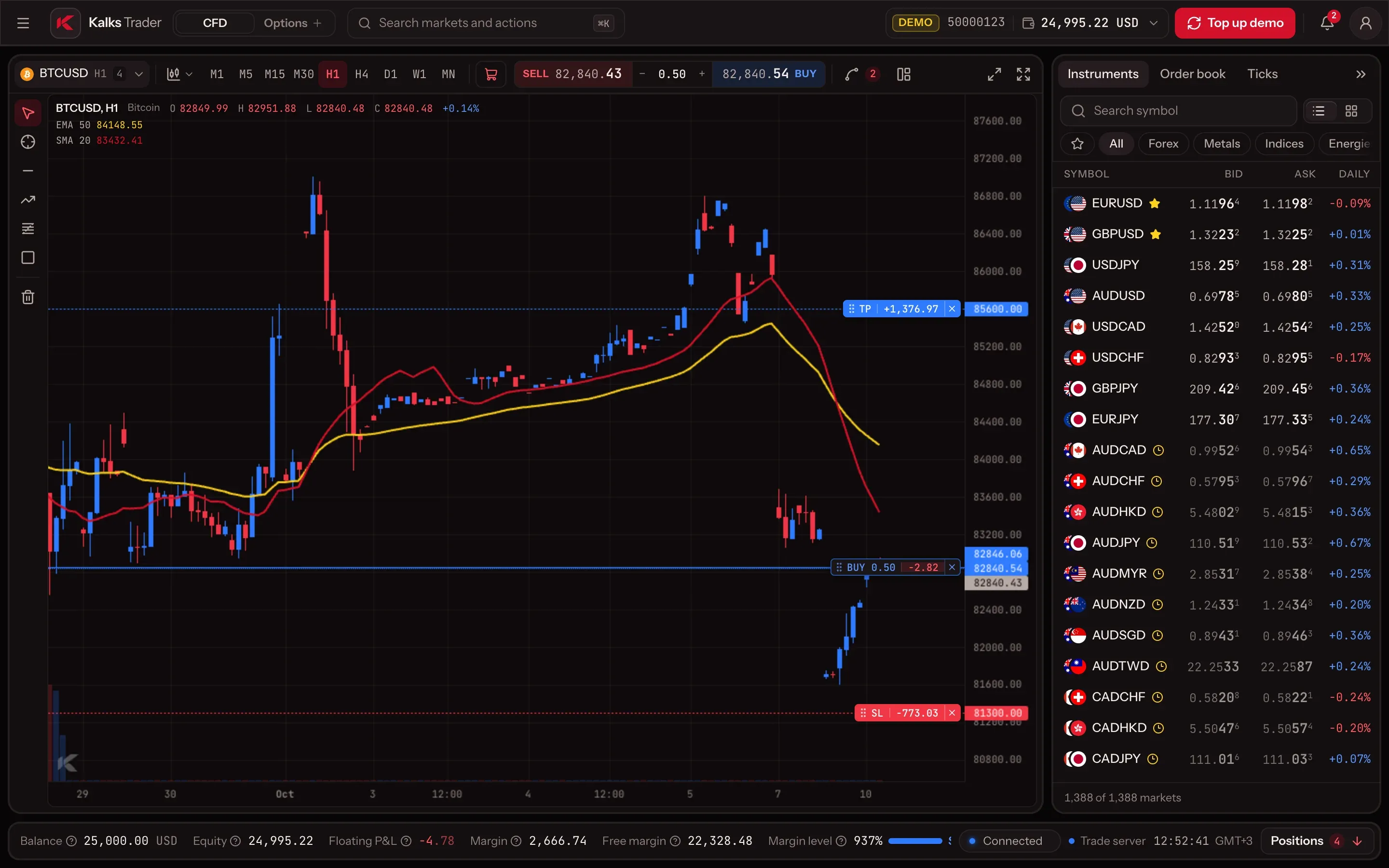
Chart first, watchlist on the side, positions below. Compact and calm. Up is blue, down is red.
- 01
Charts
4 chart types, 9 timeframes from M1 to MN, 35 indicators and 6 drawing tools.
- 02
Orders
Market, limit, stop and stop-limit. Stop loss, take profit, a server-side trailing stop, OCO and expiry by date.
- 03
One-click trading
Sell and buy straight from the chart, or switch it off and confirm every trade.
- 04
Trade on the chart
Drag stop loss, take profit, pending orders and alerts along the price axis.
- 05
Depth ladder
The order book beside the chart, with limit orders in one click.
- 06
Position tools
Partial close, close by, and bulk close: all, winners, losers, buys or sells.
- 07
Full chart mode
Hide everything but the chart when you want to focus.
- 08
Options
Option chains, quick trade and the strategy builder for your Options account.
Everything around your trading.
Accounts, money, copy trading, prop, partner earnings and learning in one place, in 22 languages.
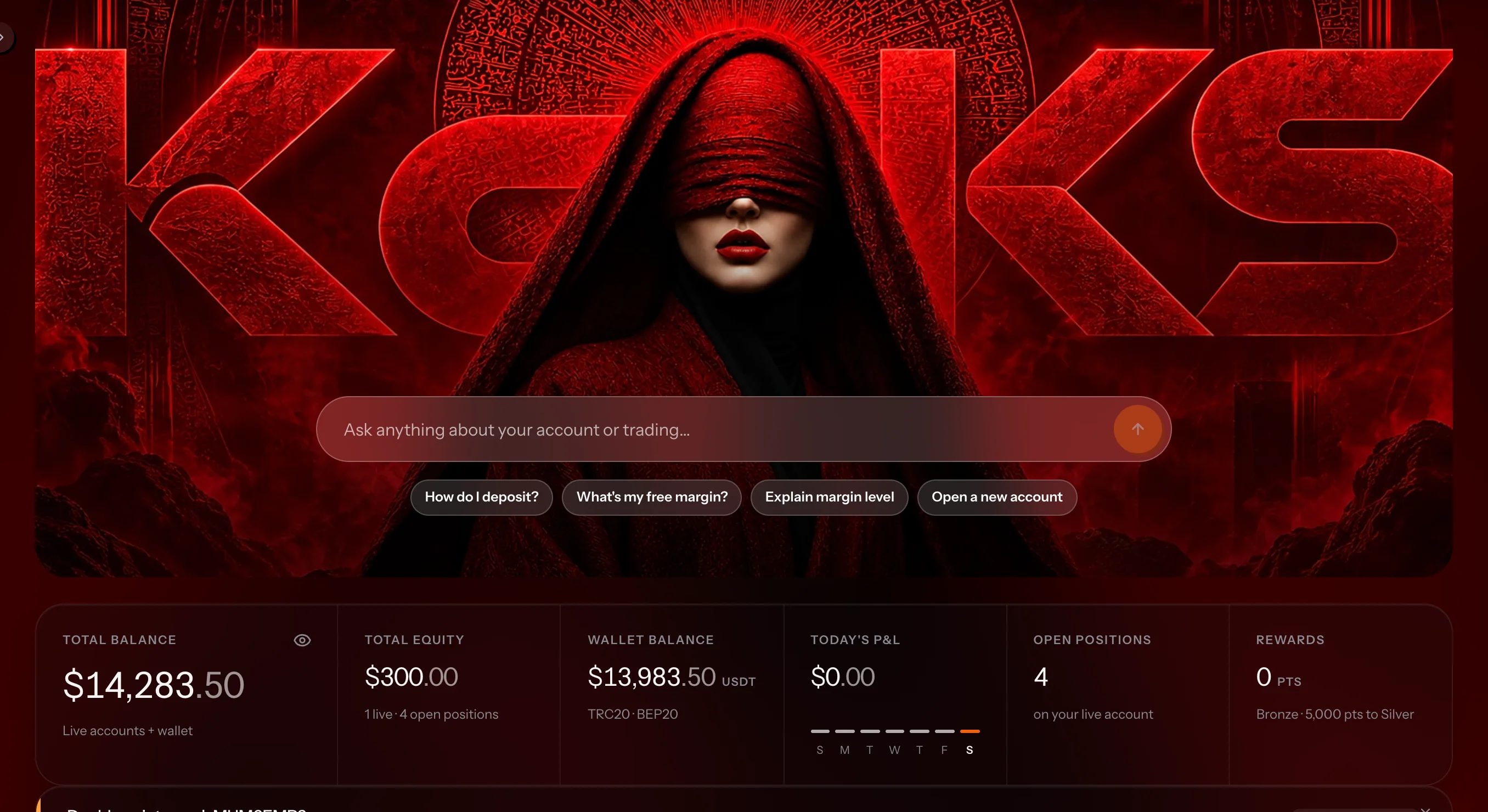
Ask the AI assistant, see every balance, and hide the amounts with one tap.
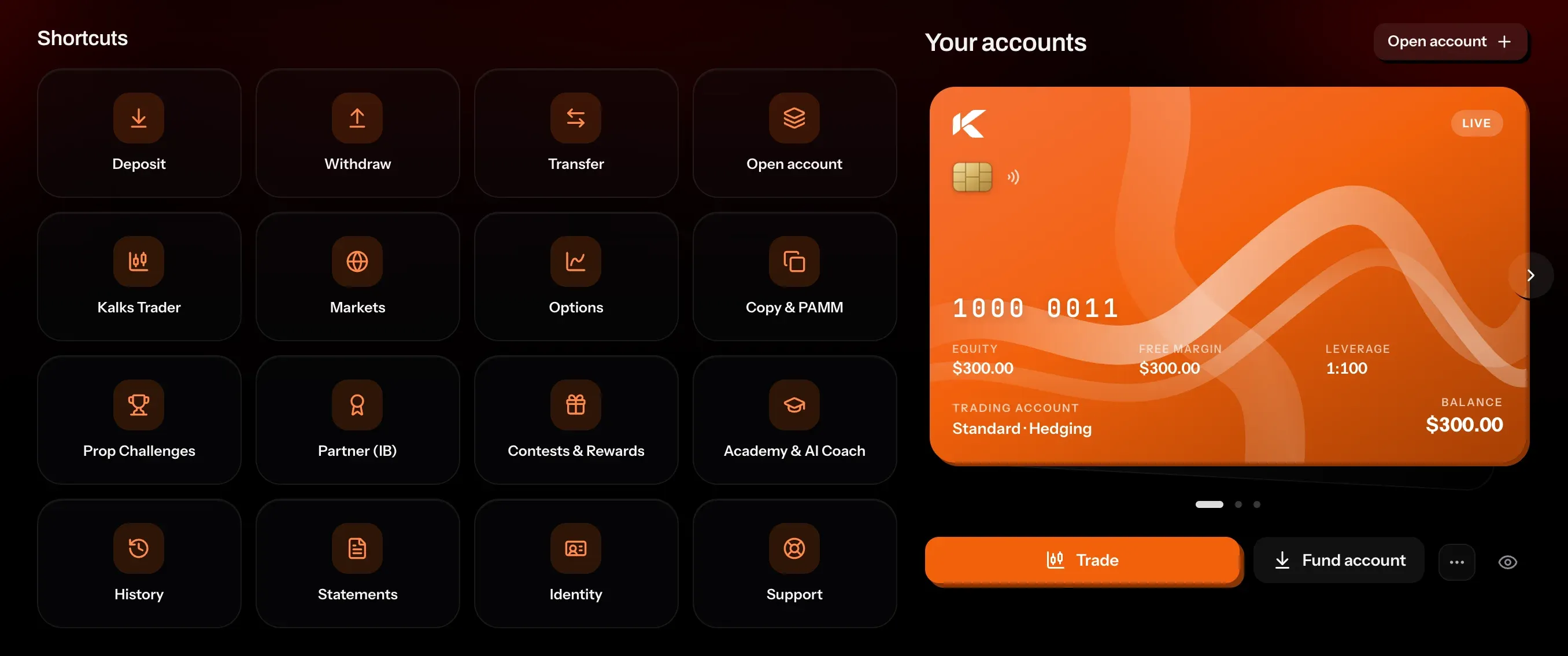
Shortcuts on the left, every account on its own card.
Accounts
Open CFD and Options accounts, live and demo; change leverage; set read-only investor passwords.
Wallet
Deposit and withdraw USDT; move money between wallet and accounts, instantly and free.
Copy trading, PAMM, MAM
Follow masters, invest in funds, or apply to become a master.
Prop challenges
Buy a challenge, track every rule live, request payouts, download certificates.
Partner dashboard
Referral links, clients, your network, commission and weekly payouts.
Academy
118 lessons in 9 phases, quizzes, exams and certificates.
Developer
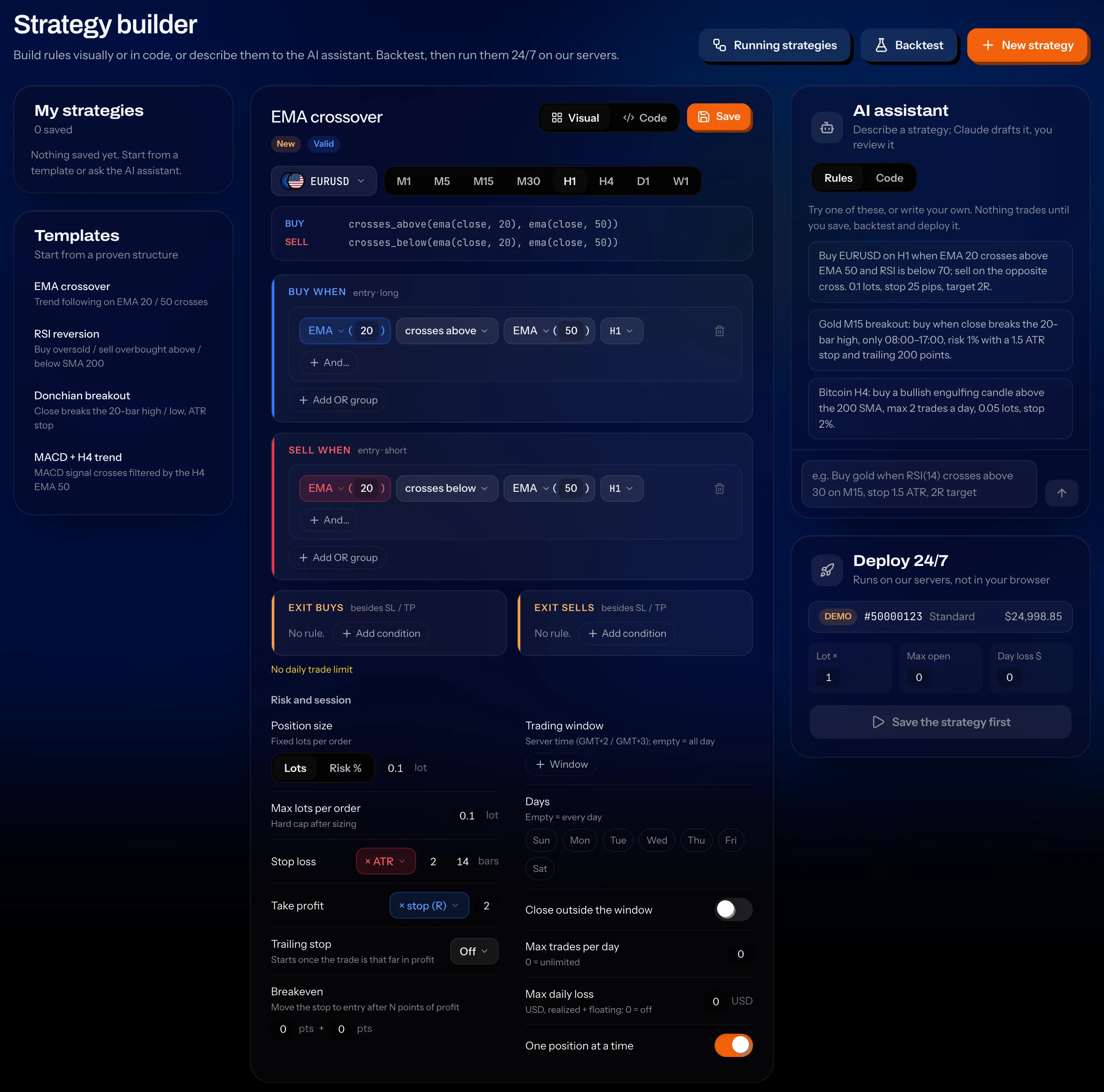
API keys, webhooks, a visual strategy builder, backtests and 24/7 deployments.
Support
Chat from any page: an instant help assistant, with our team behind it.
Kalks on Android.
The Client Area, Kalks Trader and Kalks FX Options in one app, in all 22 languages, with biometric sign-in. Download the APK here; the Play Store listing follows.
APK · Android 7.0 or newer · 43 MB · build 6. Android asks once to allow installs from your browser. Older 32-bit phones: universal APK. SHA-256 696f3ce41e269e14b8da0eaf78390db7b5f542f28c23fb58ec41117e18bd7a28
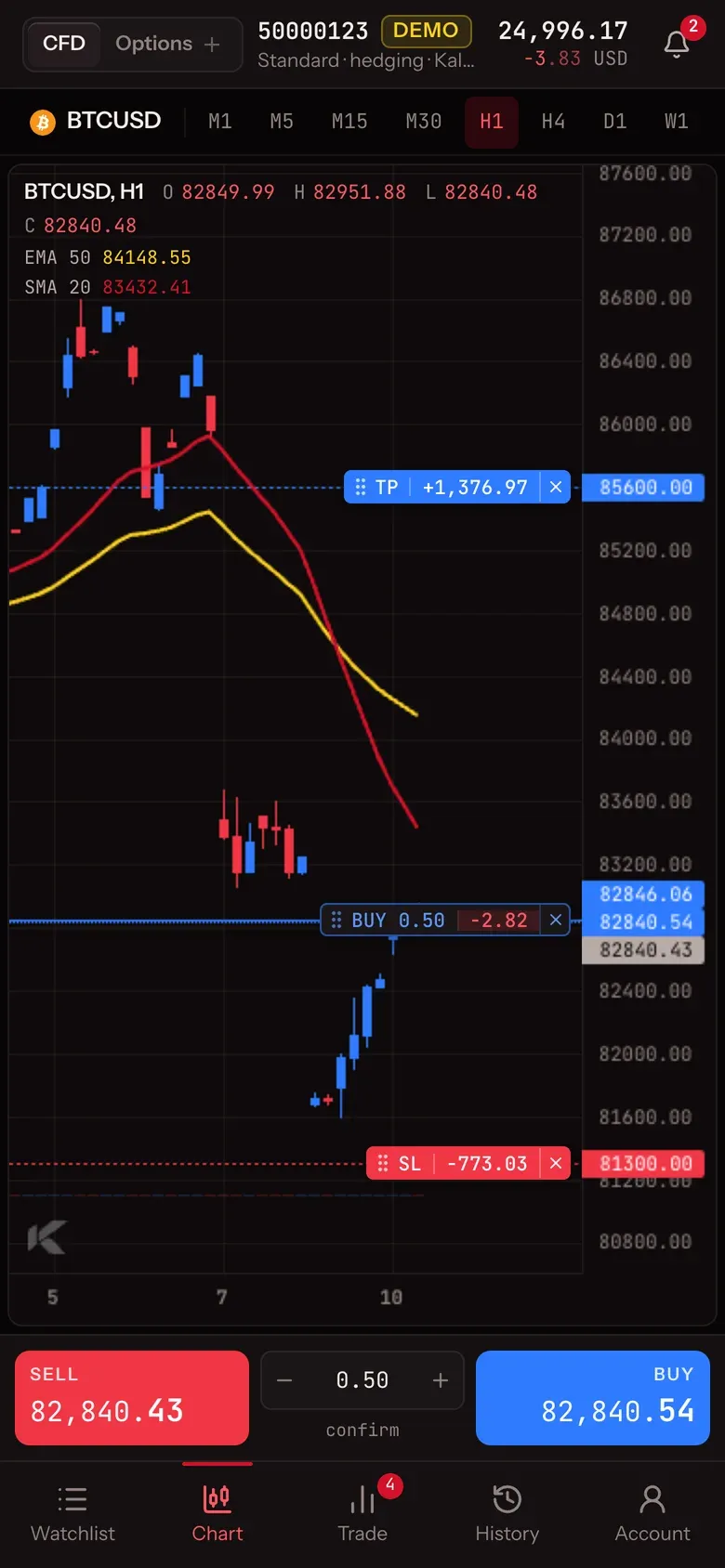
Webhook alerts, a REST API with scoped keys, a visual strategy builder and backtests, running on our servers around the clock.
- Up to 10 accounts per webhook, each with its own size
- 60 requests a minute per key
- Keys that read and trade, never withdraw
- Demo or live, with kill switches
Platforms, answered.
Do I need to install anything?
Is there a mobile app?
Which languages are available?
Open Kalks Trader in your browser.
Look around on live prices, or register and practise on $10,000 of demo money.