
Everything around the trade.
Accounts, money, copy trading, prop challenges, partner earnings and learning, side by side, in 22 languages.
- One USDT wallet for every account
- 22 languages
- 118 Academy lessons
- Support chat from any page
Your money, at a glance.
The first page after you sign in. Point at a number to see what each part does.
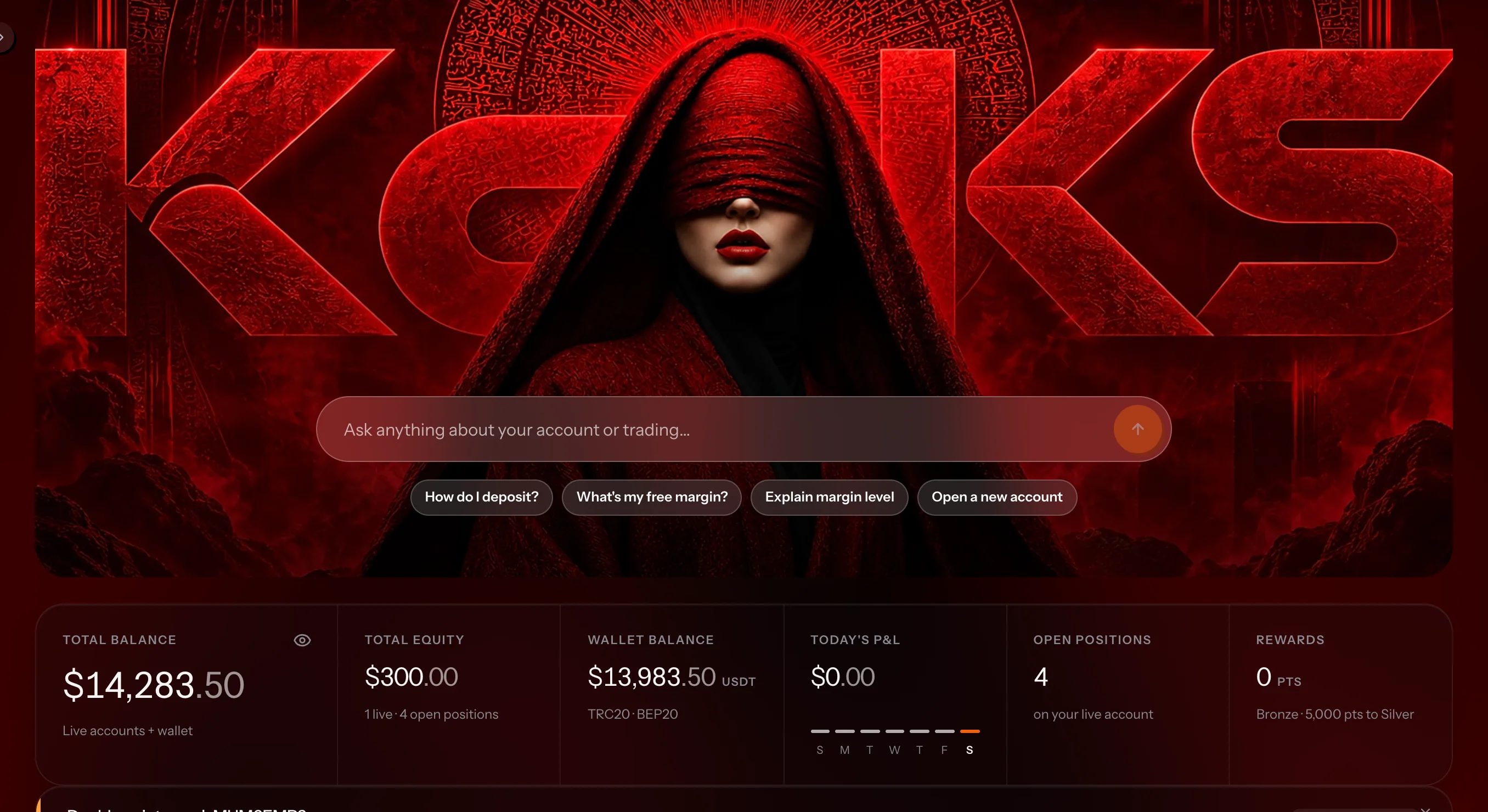
Swipe sideways to see the whole screen.
- 1Ask the AI assistant
Questions about your account or trading, in plain words, from the top of the page.
- 2Suggested questions
How do I deposit, what is my free margin, explain margin level: one tap to ask.
- 3Total balance
Your live accounts and your wallet in one number, with equity and open positions beside it.
- 4Hide the amounts
One tap on the eye hides every balance, for when you are not alone.
- 5P&L by day
Today's P&L, with the days of the week under it.
- 6Rewards
Your loyalty points and how far it is to the next level.
Accounts as cards.
Open CFD and Options accounts, live and demo, side by side; change leverage; set read-only investor passwords.
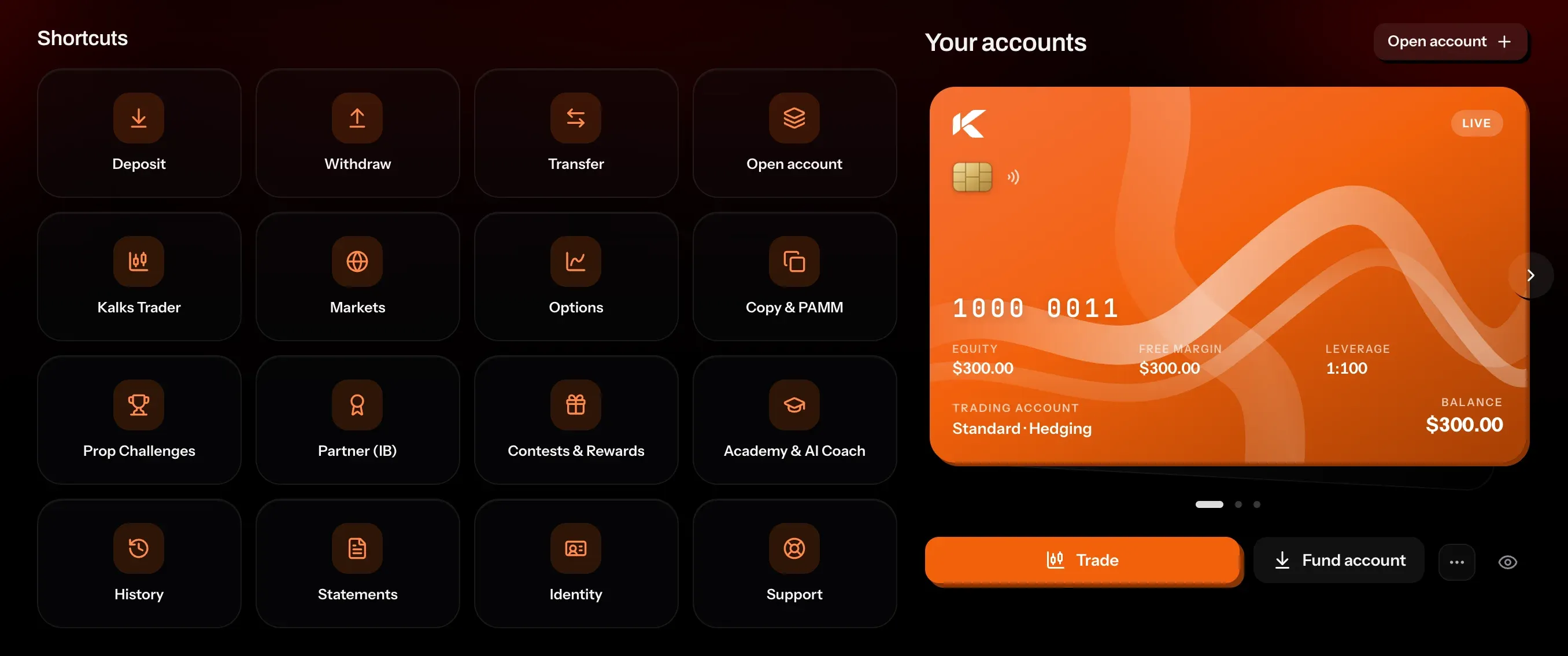
Swipe sideways to see the whole screen.
- 1Shortcuts
Deposit, withdraw, transfer, open an account, Kalks Trader, options, copy trading, prop, partner, the Academy and more, one tap each.
- 2Open an account
A new CFD or Options account, live or demo, with the type and leverage you choose.
- 3Accounts as cards
Number, equity, free margin, leverage, type and balance on a card for each account. Swipe to the next.
- 4Live or demo
Marked on every card, so you always know which money you are looking at.
- 5Trade or fund
Open Kalks Trader on this account, or move money in from your wallet.
- 6Hide the numbers
The eye hides the amounts on the card.
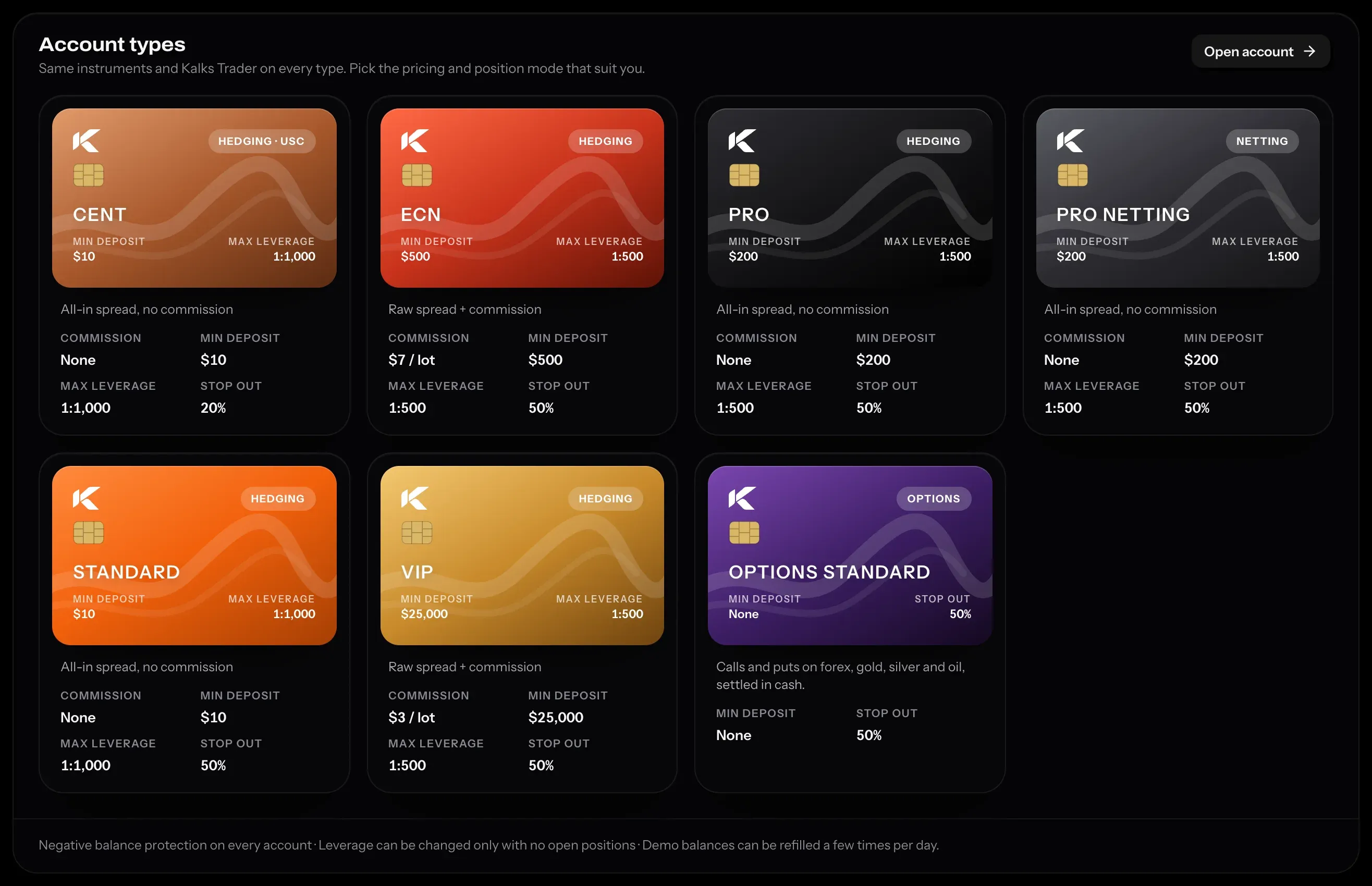
Pick a type. The same instruments and Kalks Trader on every type; the card shows the minimum deposit and the highest leverage.
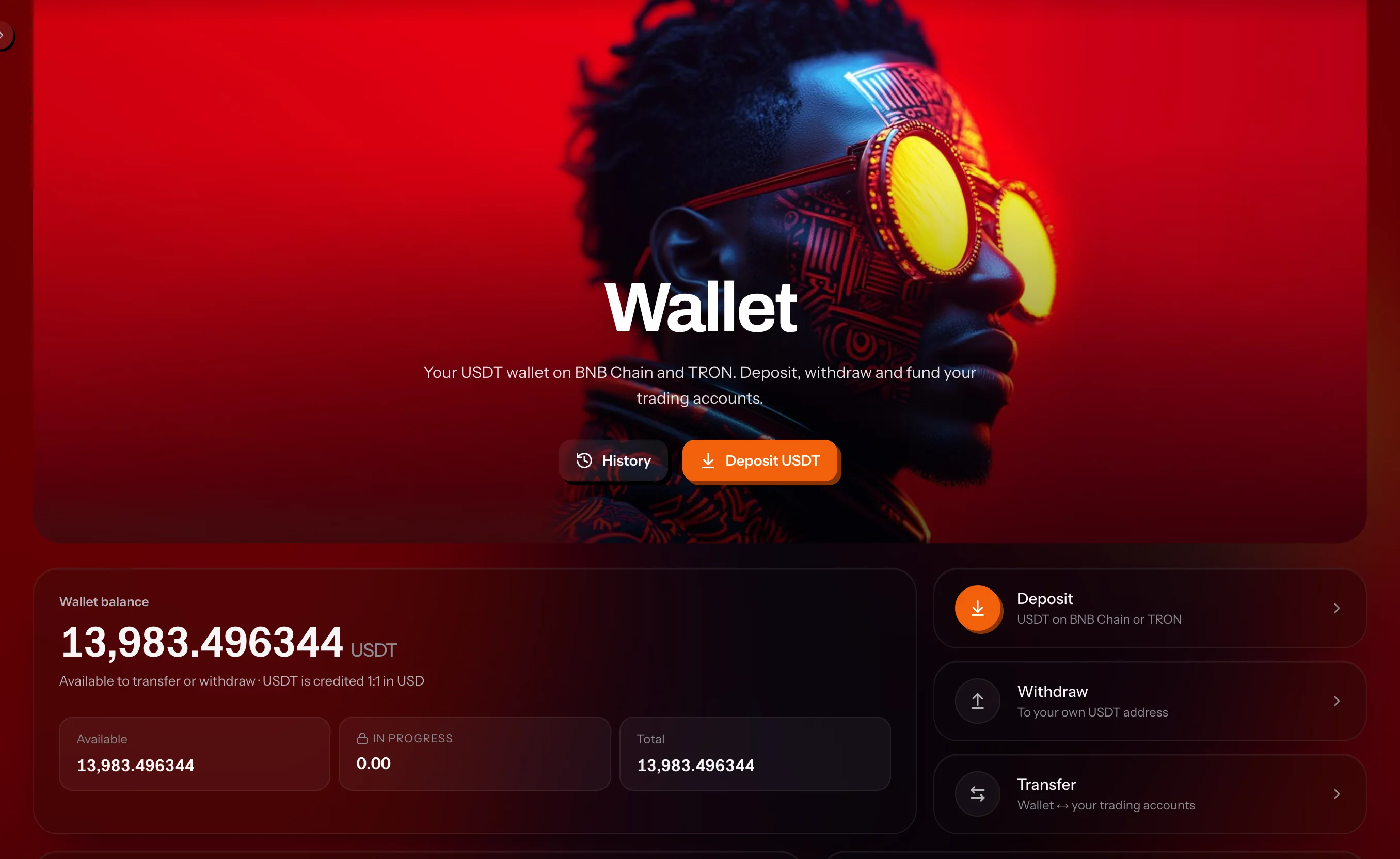
Swipe sideways to see the whole screen.
One USDT wallet for everything.
Deposit once and fund any account from it. Prop fees, copy allocations and partner payouts use the same wallet.
- 1Wallet balance
Available, in progress and total, in USDT, credited 1:1 in US dollars.
- 2Deposit
USDT on BNB Chain (BEP20) and TRON (TRC20), from 10 USDT, usually within a minute.
- 3Withdraw
To your own USDT address: 10 to 50,000 USDT, 1 USDT flat fee.
- 4Transfer
Wallet to account transfers are instant and free.
Copy, invest or refer.
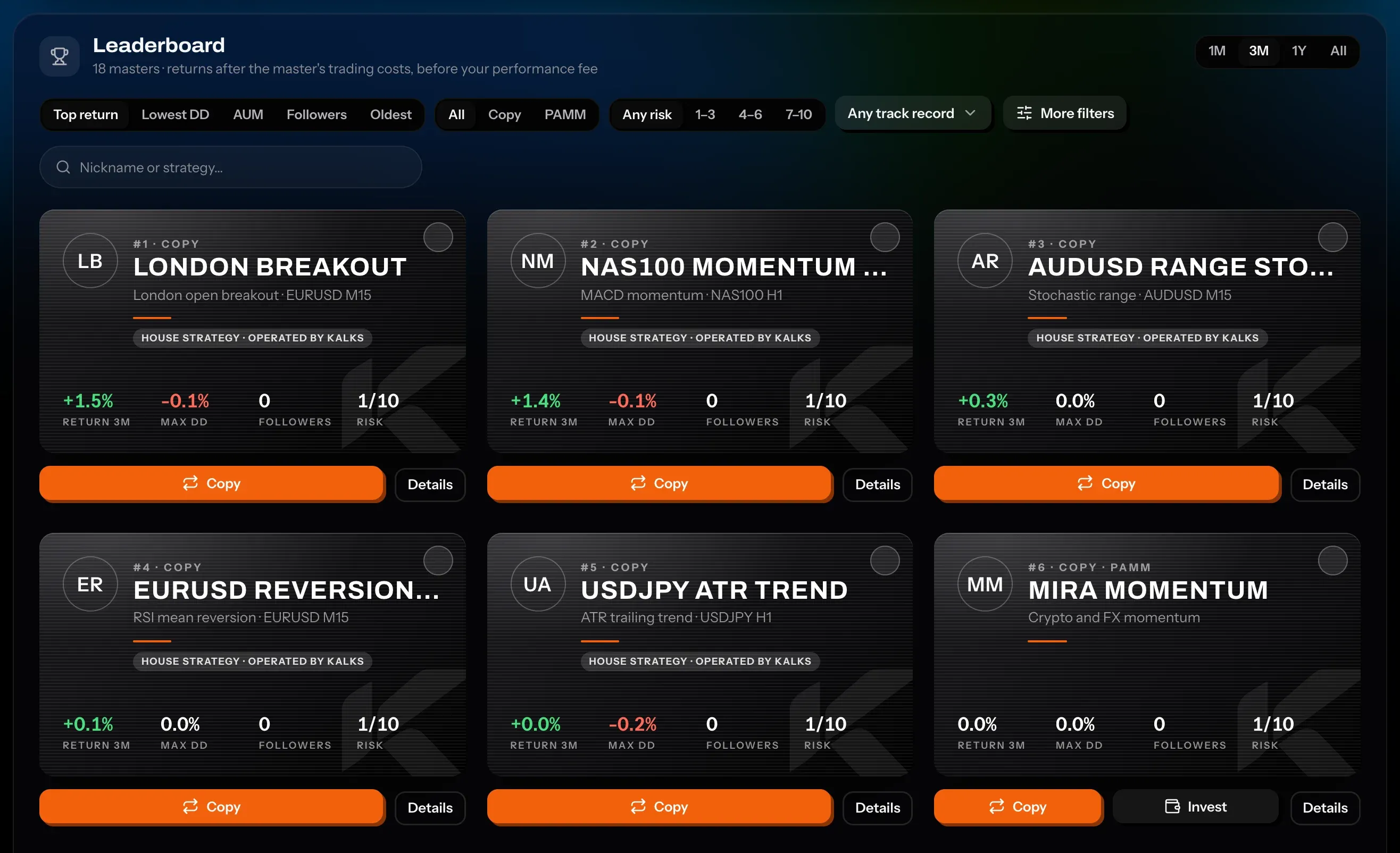
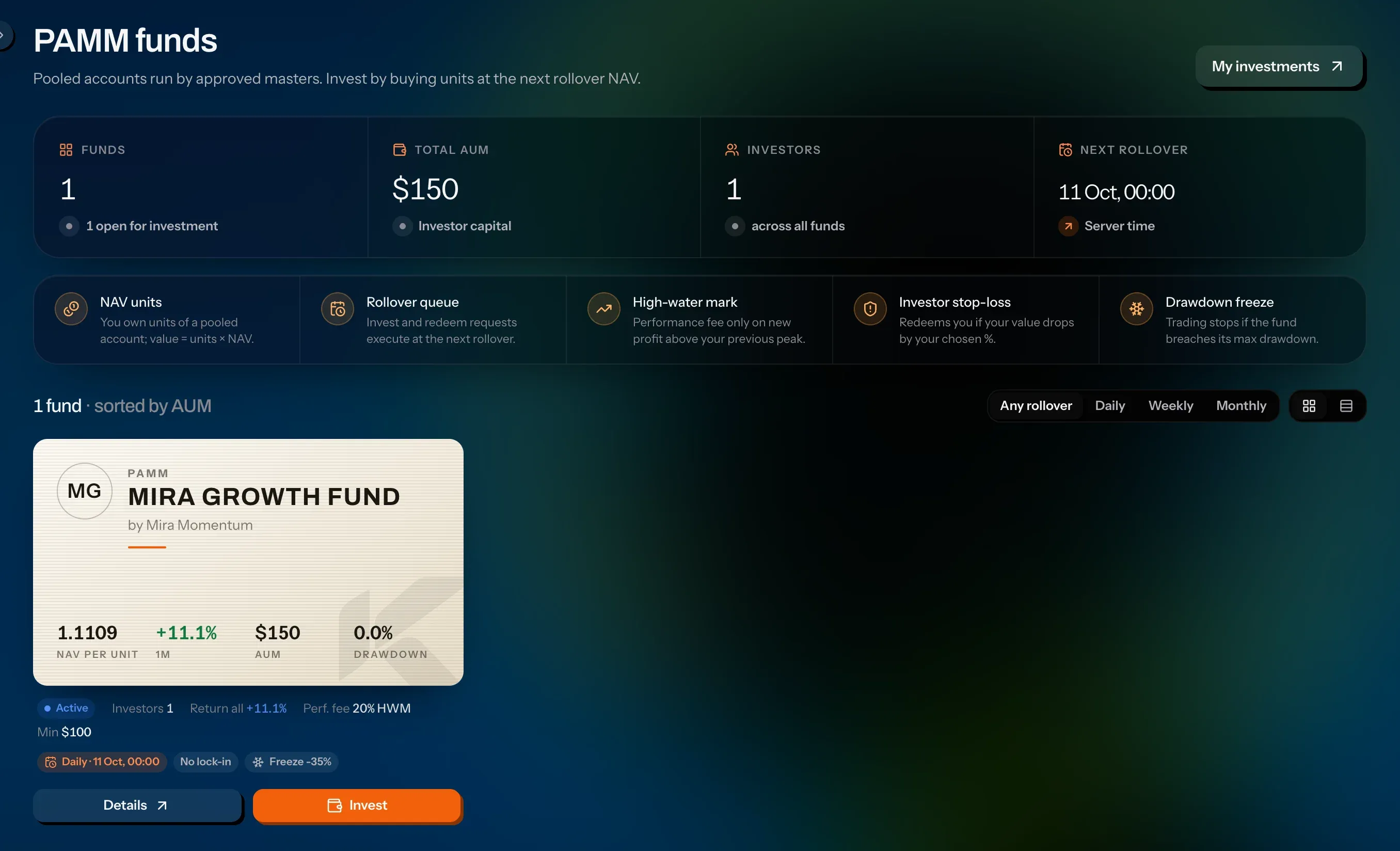
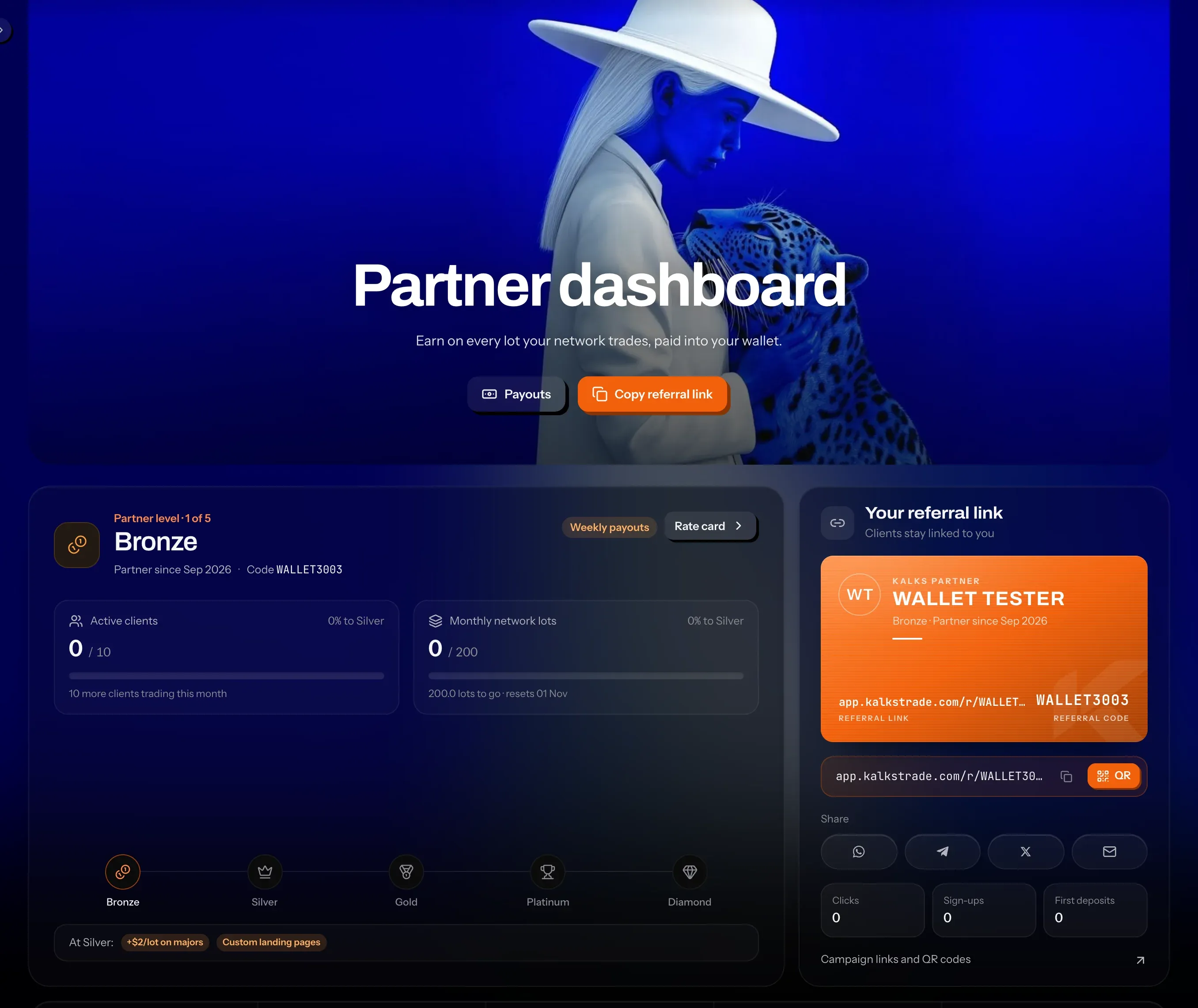
Follow masters, invest in funds, or apply to become a master. Share your link and watch your partner commission grow.
- Prop challenges: buy one, track every rule live, request payouts, download certificates
- The Academy: 118 lessons in 9 phases, quizzes, exams and certificates
- Support: chat from any page, an instant help assistant with our team behind it
The whole list, in short.
- 01AccountsOpen CFD and Options accounts, live and demo; change leverage; set read-only investor passwords.
- 02WalletDeposit and withdraw USDT; move money between wallet and accounts, instantly and free.
- 03Copy trading, PAMM, MAMFollow masters, invest in funds, or apply to become a master.
- 04Prop challengesBuy a challenge, track every rule live, request payouts, download certificates.
- 05Partner dashboardReferral links, clients, your network, commission and weekly payouts.
- 06Academy118 lessons in 9 phases, quizzes, exams and certificates.
- 07DeveloperAPI keys, webhooks, a visual strategy builder, backtests and 24/7 deployments.
- 08SupportChat from any page: an instant help assistant, with our team behind it.
The Client Area, answered.
Do I need to install anything?
Is there a mobile app?
Which languages are available?
Get your own Client Area.
Register in a couple of minutes, then open a demo with $10,000 of virtual money, or a live account.